Convert Between Paint Brands
Take a paint color from any supported brand and instantly find similar colors from other manufacturers. Start from a brand catalog, pick the paint line and the exact color, then instantly see similar colors across other brands.
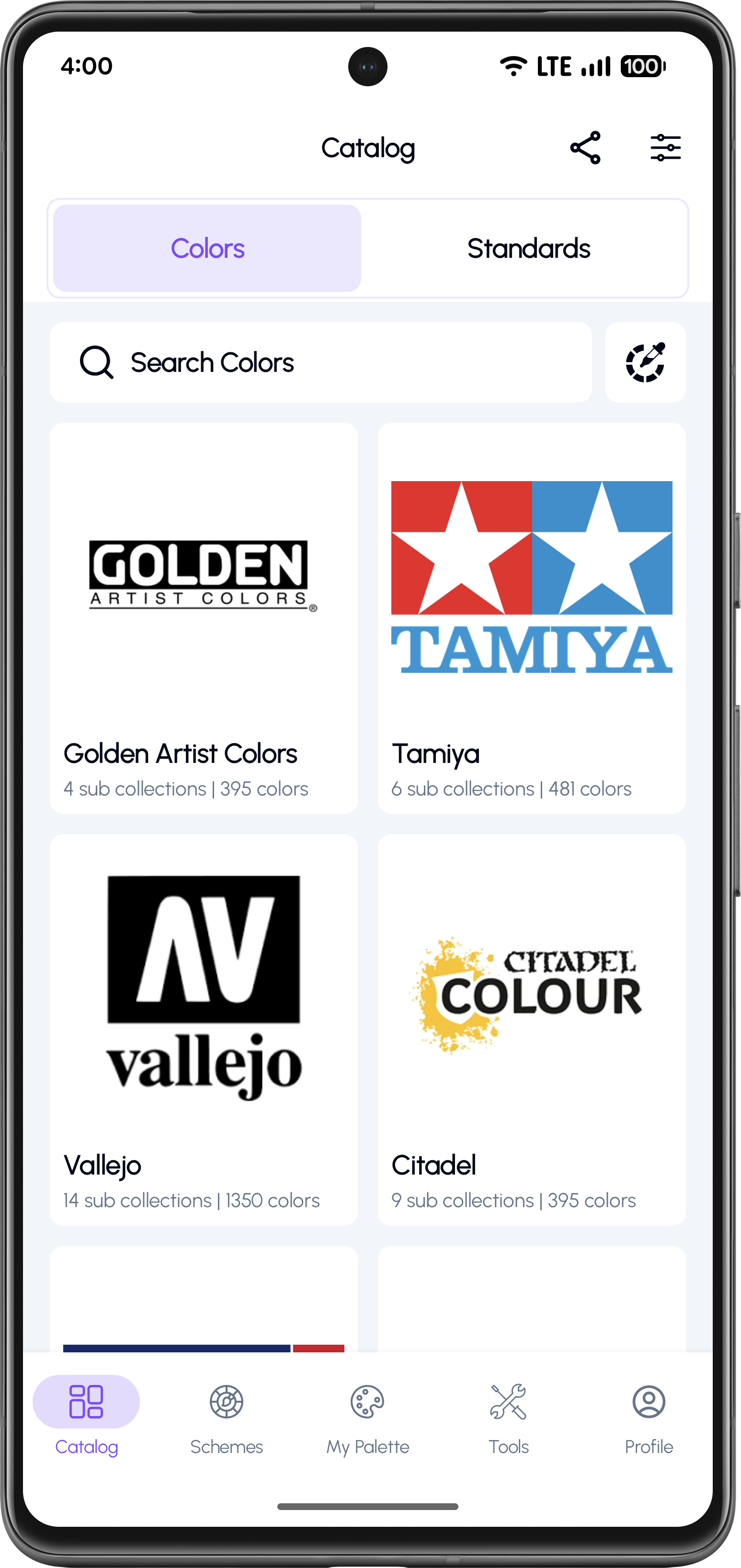
Select a Paint Brand
Choose from popular brands like Vallejo, Tamiya, Citadel to start.
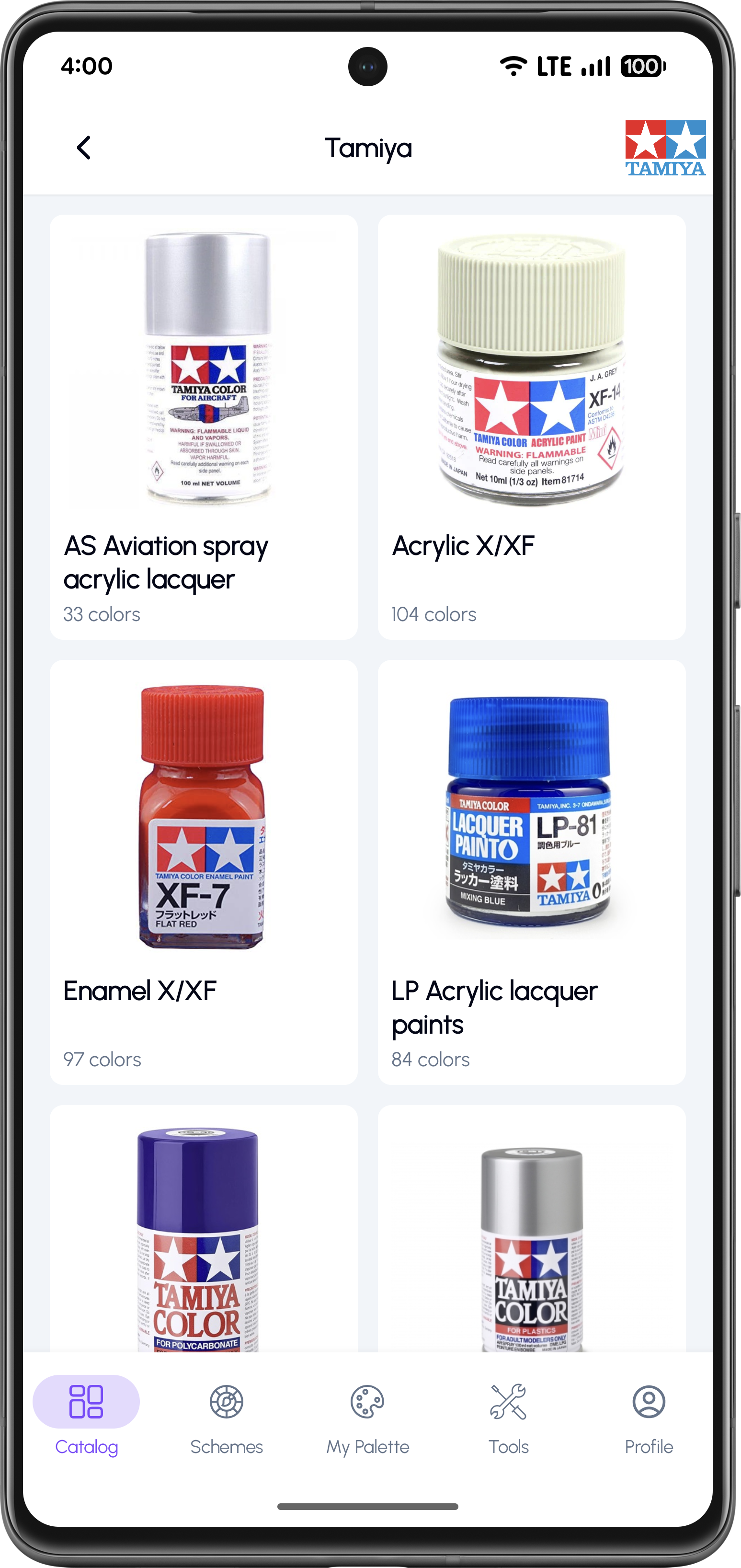
Choose a Sub-Collection
Select a specific paint line like Acrylic X/XF, Game Color, Liquid Metal.
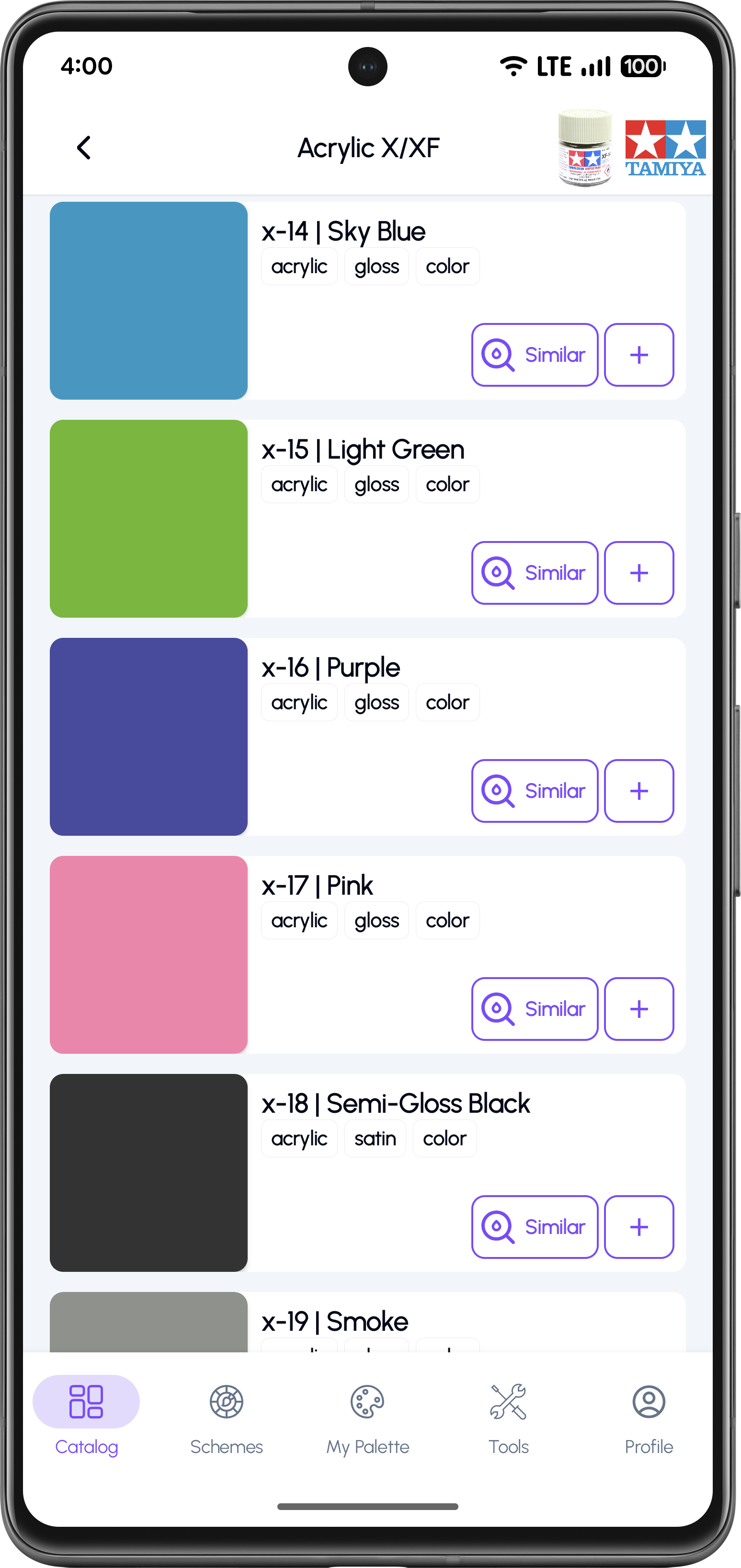
Pick a Specific Color
Browse and select the exact color you want to convert.
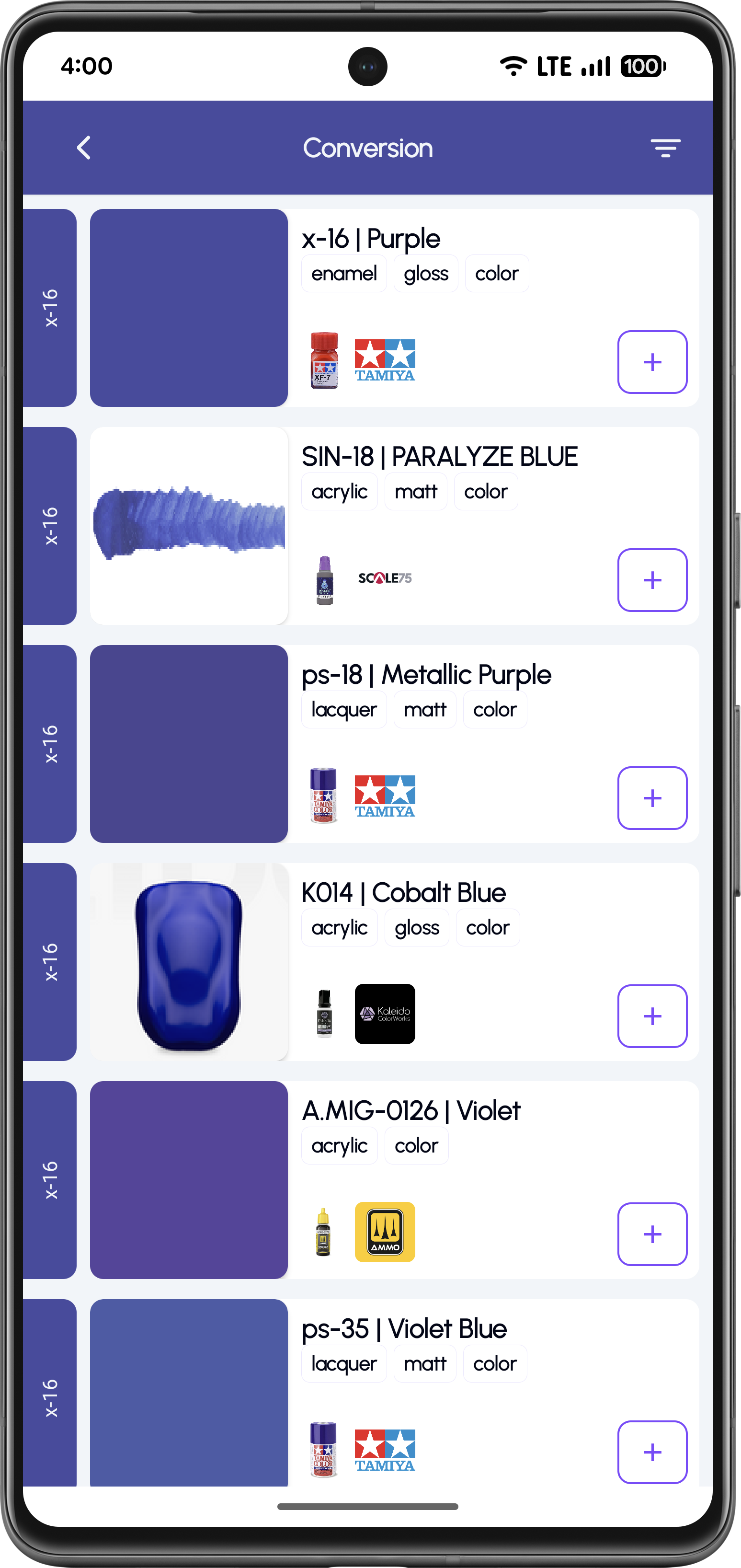
Tap "Similar" for Results
View matching colors from other brands with paint type, finish, and base.
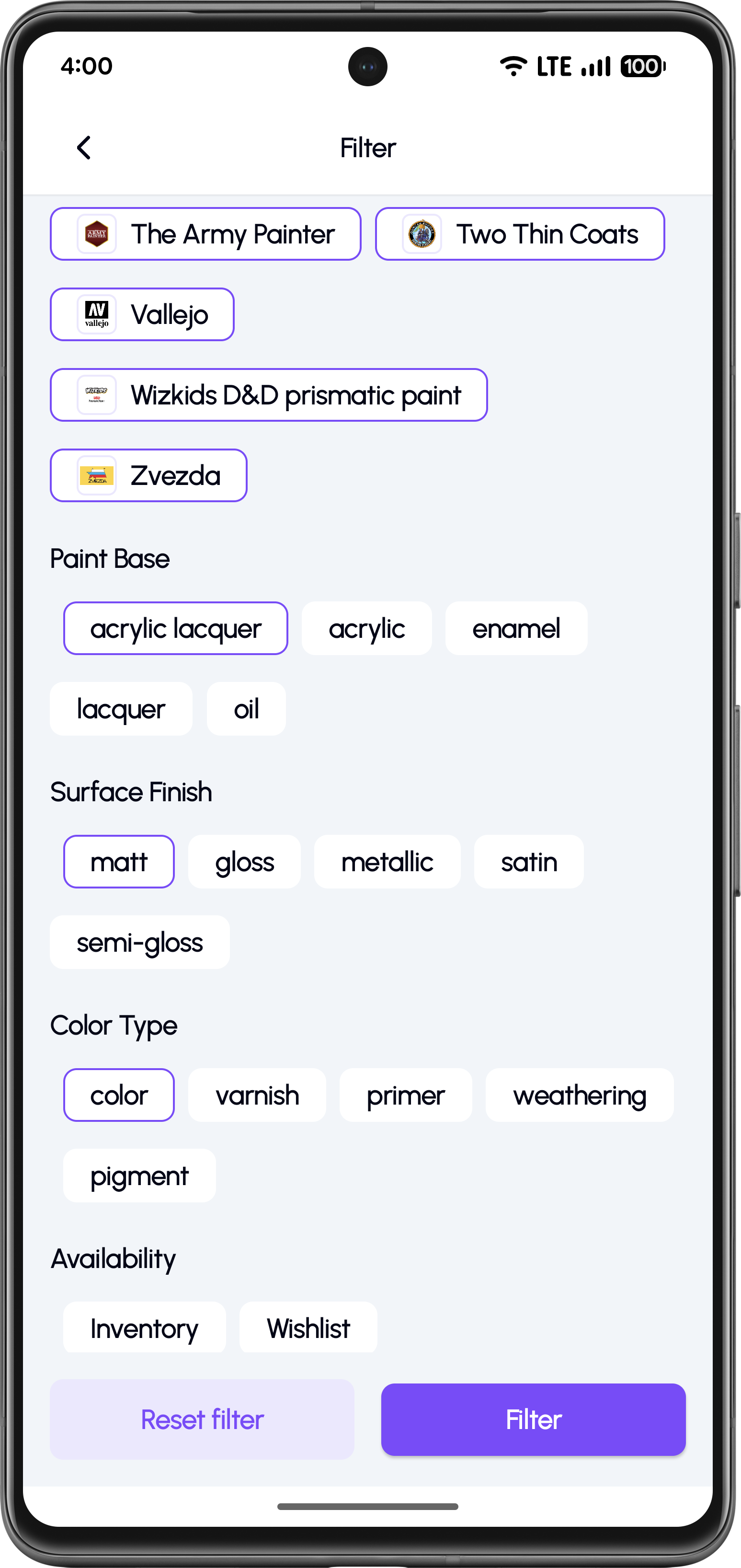
Filter and Save
Narrow results by base, finish, and add paints to inventory.
Convert from Color Standards (RAL, FS, BS)
Convert official color standards into real hobby paints. Many modeling references use color standards like RAL, Federal Standard (FS), or British Standard (BS). KitColorsPro lets you start from a standard code and convert it into real paints you can buy.
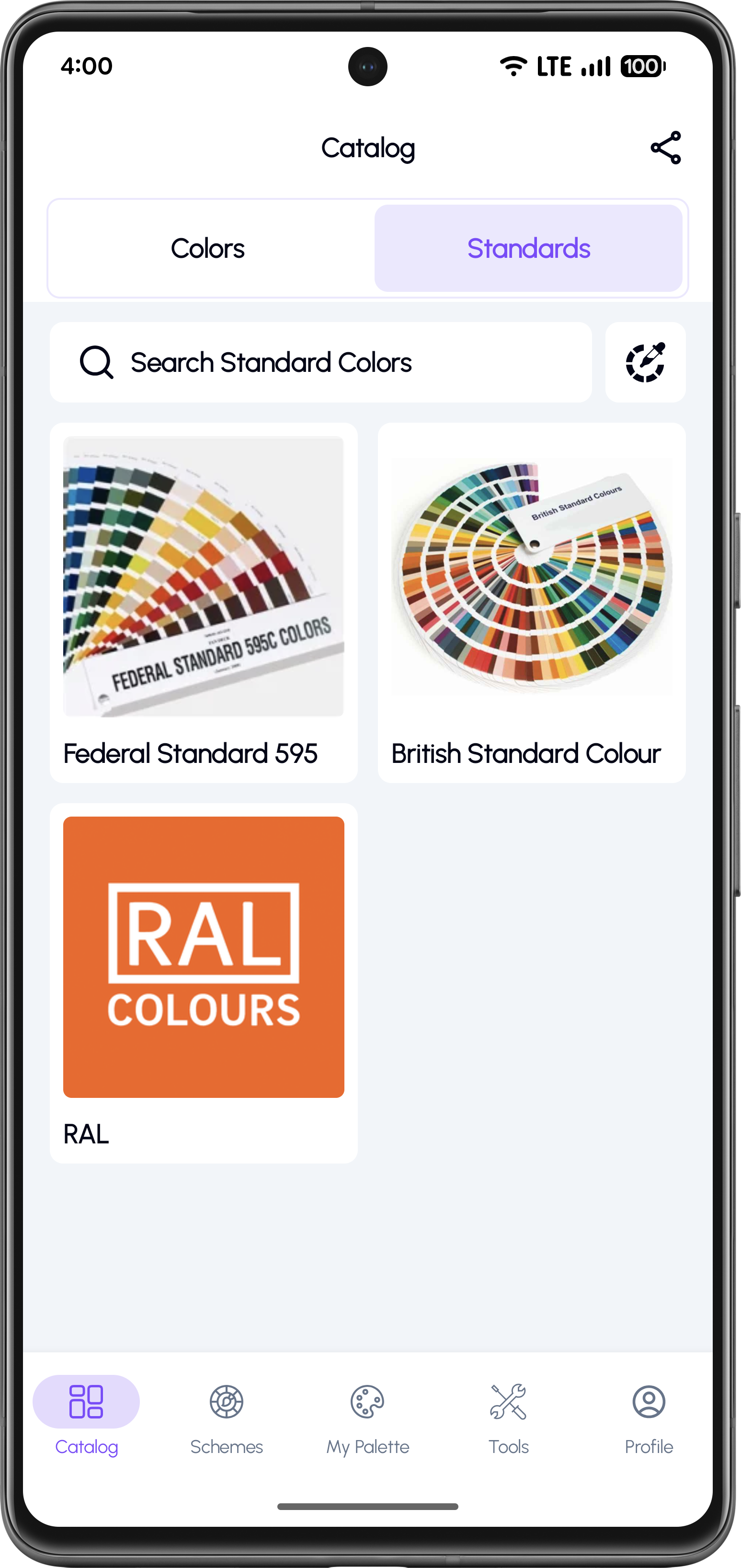
Open the Standards Tab
Access the Standards tab in the catalog to browse official color systems.
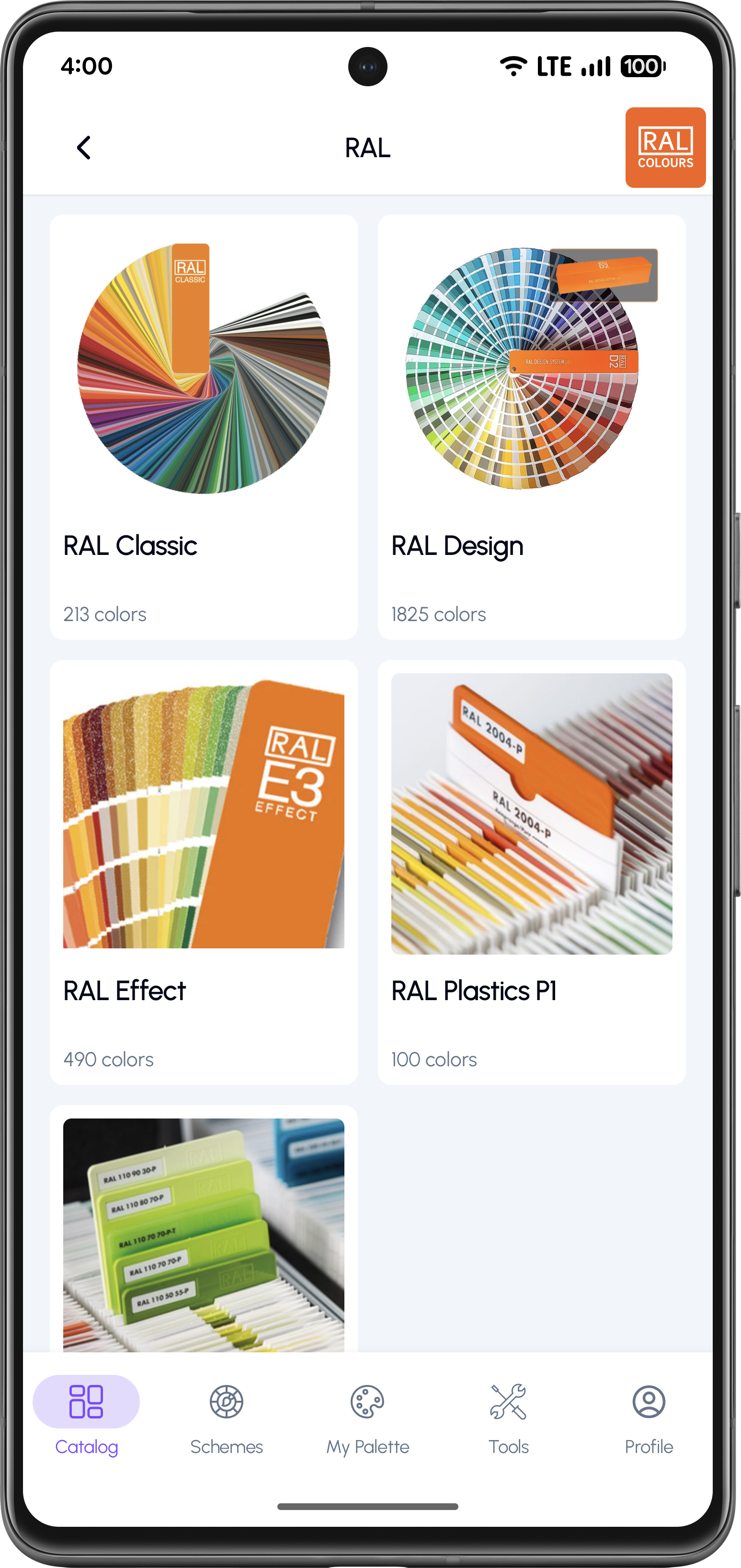
Choose a Standard System
Select RAL, Federal Standard 595, British Standard, or others.
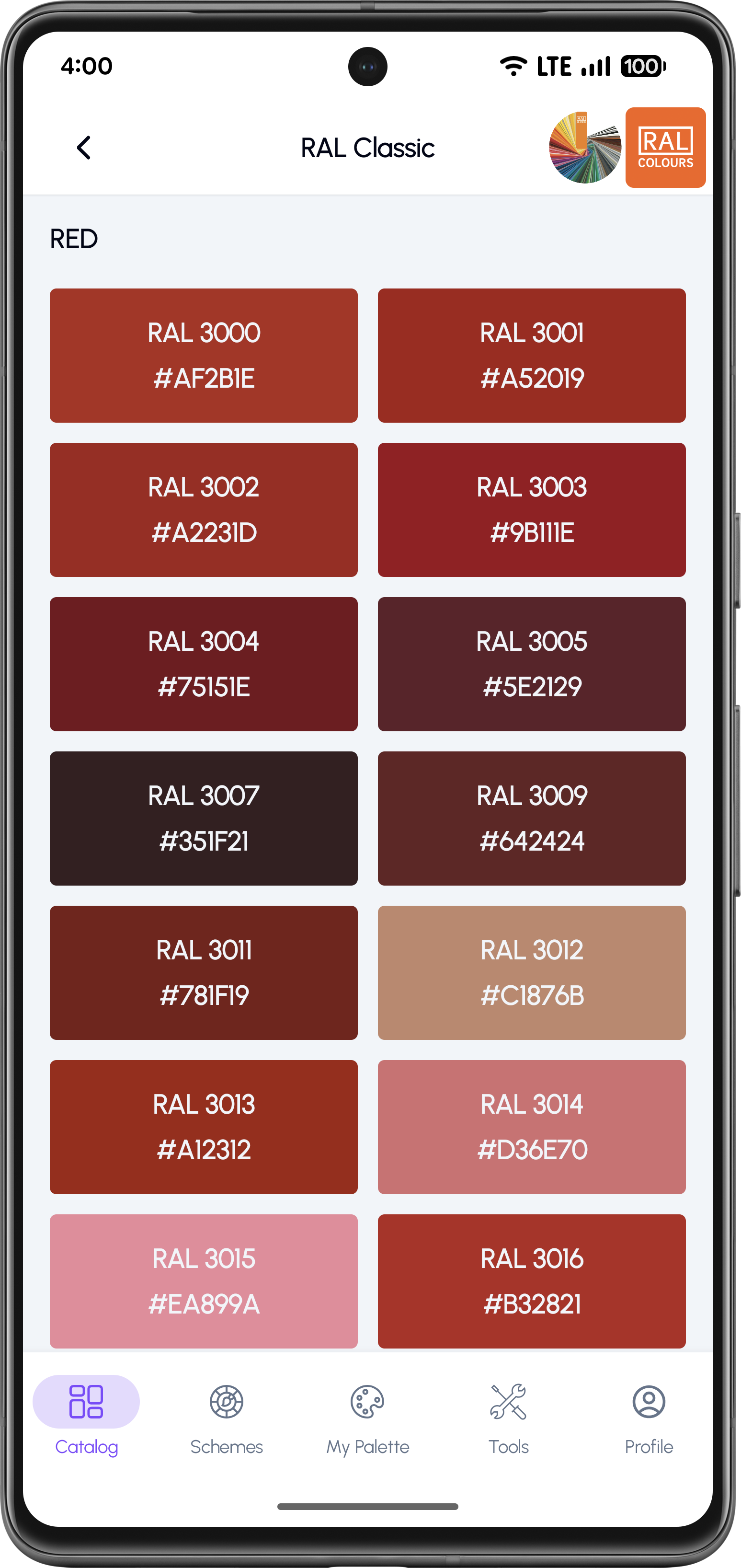
Select a Standard Color
Browse and pick the specific standard color code you need.
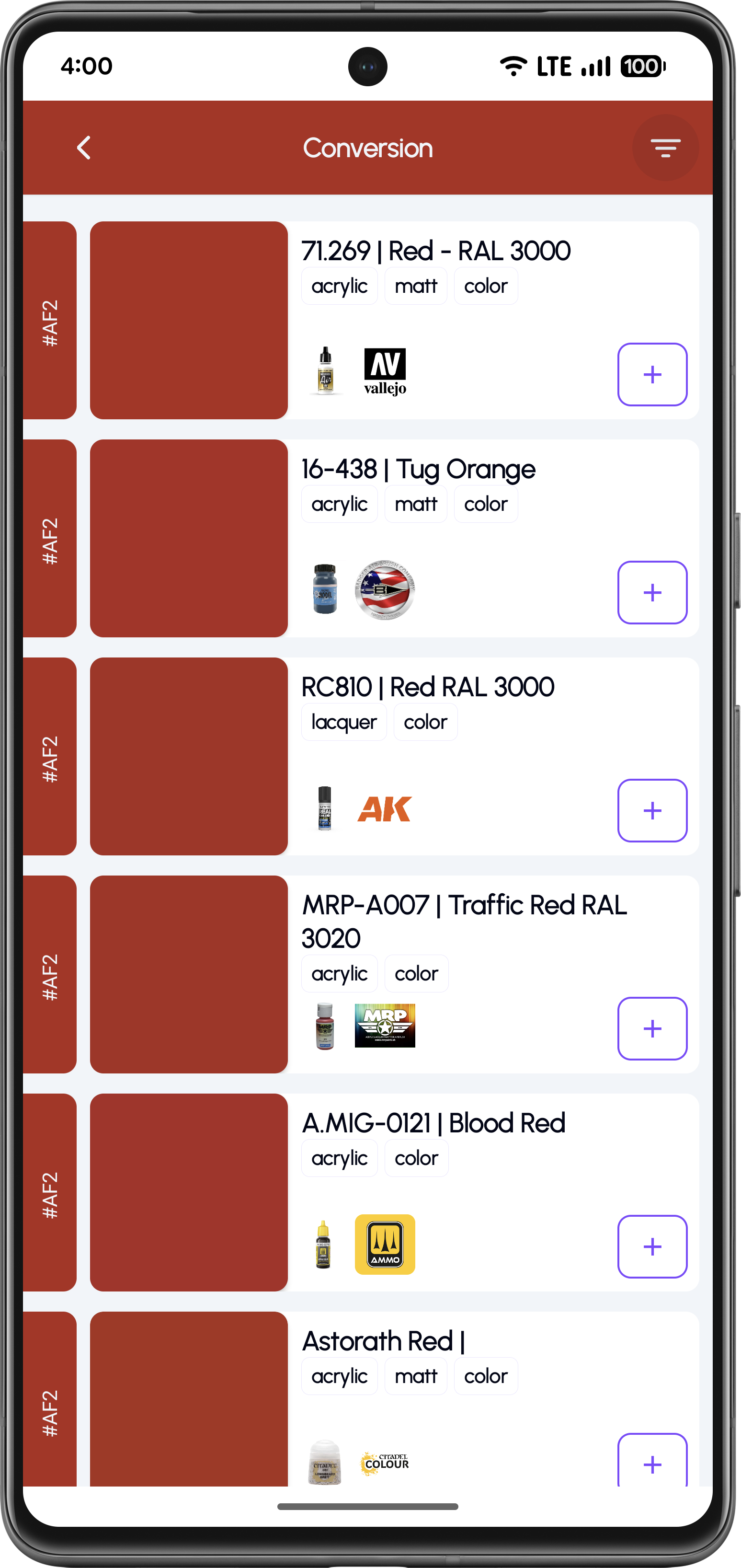
See Hobby Paint Matches
View all matching hobby paint options across multiple brands.
Convert from RGB or HEX Color
If your reference is digital — a screenshot, a photo, or a color picked from an image — you can start from a HEX/RGB value and convert it into real model paints. Enter a HEX value (for example #188ab8) and KitColorsPro will show the closest paint matches across brands.
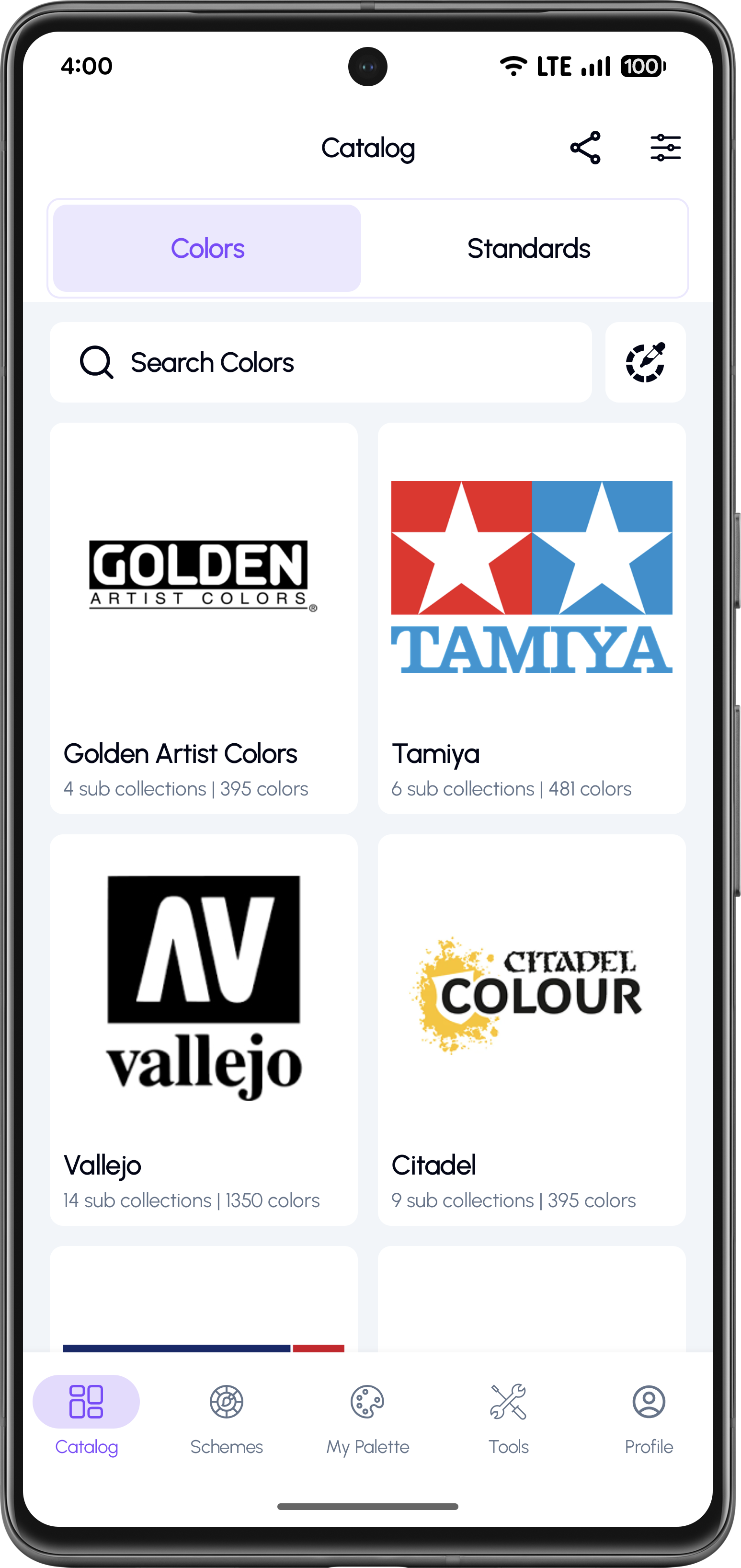
Open the Color Search Tool
Enter an RGB or HEX value like #188ab8 to start searching.
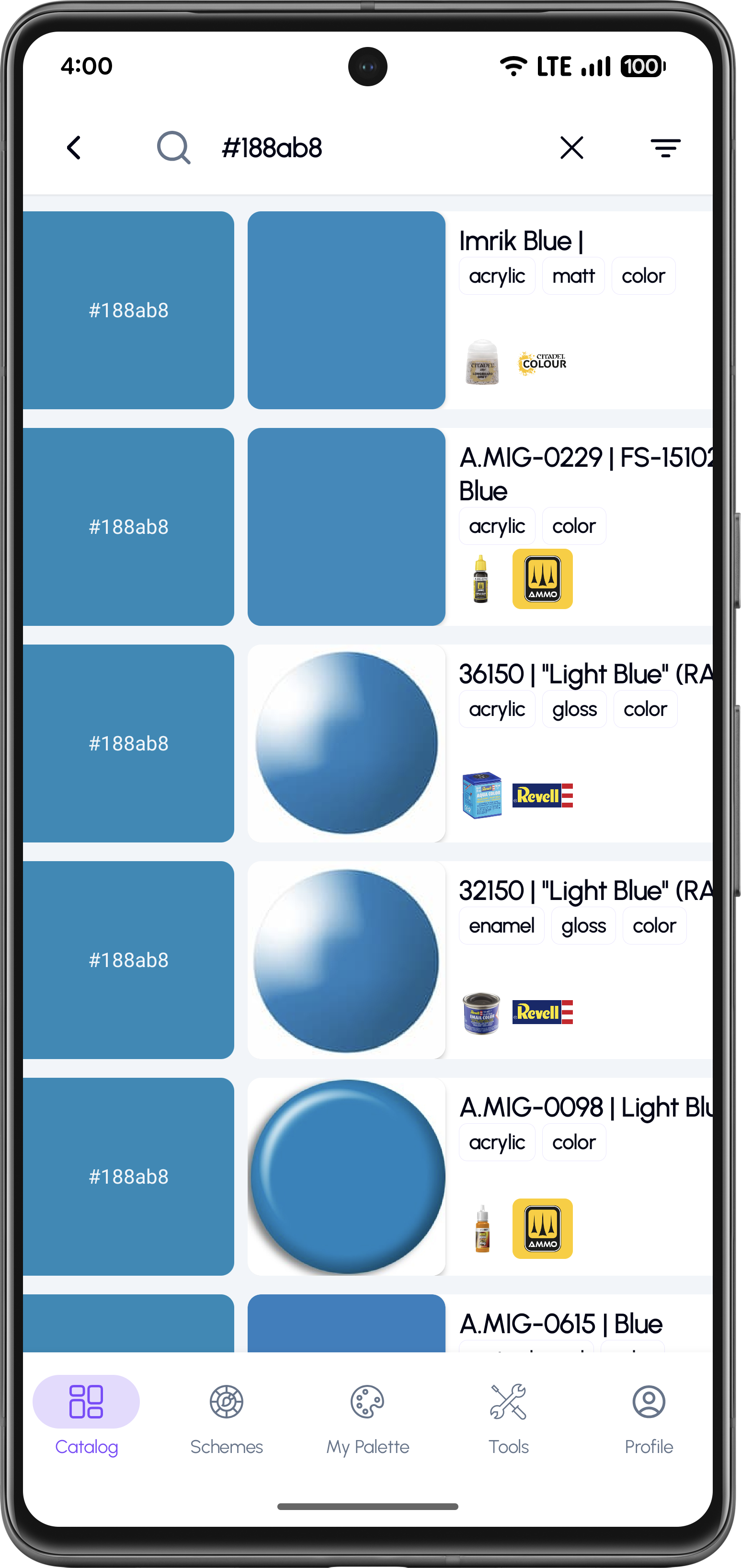
Browse Similar Paint Results
View visually similar paints and tap any result for conversion matches.
Why Modelers Use Color Conversion
Convert paint colors between major hobby brands
Find equivalents for RAL, FS, and BS standards
RGB & HEX color matching from digital references
Filter by paint base (acrylic, enamel, lacquer)
Filter by finish (matt, gloss, metallic, satin)
Add paints to inventory or wishlist
Frequently Asked Questions
Yes. KitColorsPro shows the closest equivalents across brands and paint lines so you can choose the best match.
Yes. You can start from standards (RAL / FS / BS) and convert them into real paint options from multiple brands.
Yes. If you have a HEX value from a digital reference, you can use it as a target and find the closest paint matches.
Two paints can look similar in color but differ in finish (matt vs gloss) or base type (acrylic vs lacquer). Filters help you select the most realistic match.
Yes. Use Availability filters to prioritize paints already in your Inventory or your Wishlist.
It's built for scale modelers, but it also helps with miniatures, dioramas, and any hobby work that needs consistent paint matching.
Never Guess Paint Matches Again
Download KitColorsPro and instantly convert paint colors for your scale modeling projects. Save time, reduce mistakes, and build more accurate models.


Free to download · iOS & Android · 11 languages